
Upgrades To Consider for the Ultimate Cozy Gaming Setup
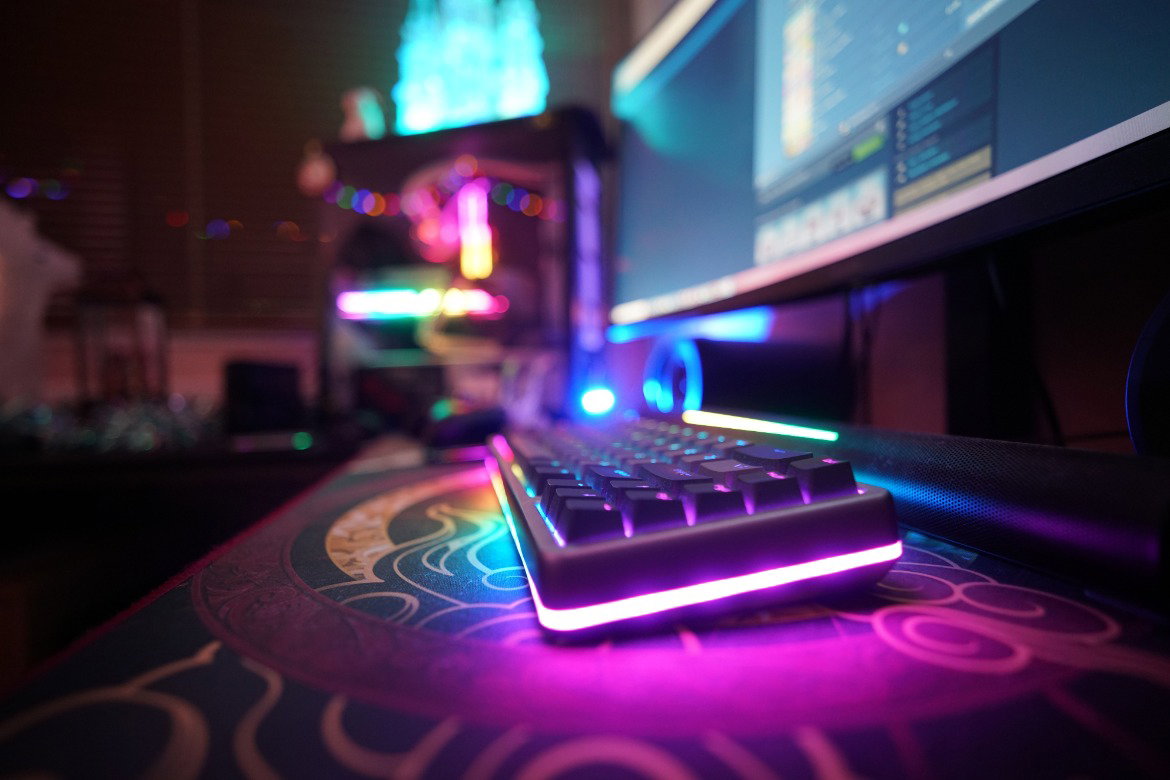
There’s something special about settling into your favorite game after a long day. You’ve got your snacks ready, your playlist sounds perfect, and you’re planning to spend the next few hours exploring a virtual world.
But when your chair starts hurting your back or your overhead light ruins the atmosphere, the experience feels a lot less relaxing. Fortunately, creating a cozy gaming space doesn’t require an expensive room makeover. Here are some upgrades to consider for the ultimate cozy gaming setup!
Find a Gaming Chair You Actually Enjoy Sitting In
A cool-looking gaming chair seems like an obvious upgrade, but don’t let appearance drive your purchase. Some racing-style chairs look impressive in photos while offering little support during extended gaming sessions. If your current chair makes you shift positions constantly, start there.
Look for a chair with adjustable lumbar support and a seat that allows your feet to rest comfortably on the floor. A breathable backrest also helps when your room gets warm during marathon gaming sessions.
Don’t overlook your armrests, either! They should support your forearms without forcing your shoulders upward. If your feet don’t reach the floor comfortably, having a small footrest helps you maintain a more relaxed sitting position.
Replace Harsh Lighting With a Softer Glow
Lighting has an enormous influence on how your gaming space feels. Bright overhead fixtures often create an uncomfortable atmosphere, especially when you’re trying to relax with a cozy farming simulator. Instead, introduce warm ambient lighting around your desk. Choose adjustable lights so you can control the brightness throughout the evening.
Create Different Lighting Presets
Smart bulbs make switching between different lighting moods easier. Use a warm setting for relaxing games, then switch to something more colorful when playing an RPG. Try keeping your ambient lighting relatively subtle! Excessively bright RGB strips sometimes compete with your screen rather than complementing the gaming experience.
Give Your Monitor a More Comfortable Position
You spend most of your gaming time looking at your monitor, so its position deserves attention. When the screen sits too low, you end up leaning forward without realizing how much strain you’re placing on your neck.
A monitor arm offers an easy way to adjust screen height while freeing valuable desk space. Position the display roughly an arm’s length away, then adjust the distance based on your comfort and screen size.
When optimizing your gaming setup, check a few details before purchasing another display:
- Position your monitor directly in front of your usual sitting position.
- Keep the top of the screen around eye level or slightly below.
- Adjust brightness to suit your room’s lighting conditions.
- Make sure your keyboard sits within comfortable reach.
- Leave enough desk space for natural mouse movement.
If you use multiple monitors, arrange them according to which screen gets the most attention. Your primary display should occupy the position that feels most natural.
Upgrade Your Audio Without Disturbing Everyone Else
A cozy gaming environment deserves sound that matches the atmosphere. Unfortunately, some gaming headsets become uncomfortable after an hour because their earcups press too tightly against your head.
If you prefer headphones, look for a lightweight pair with comfortable padding. Consider how the earcups feel after extended wear rather than choosing a headset based solely on its advertised features.
For gamers who dislike wearing headphones constantly, compact desktop speakers offer another option. Position them so sound reaches your usual sitting area without requiring excessive volume.
Choose Desk Accessories That Feel Good To Use
Your gaming peripherals influence how comfortable your setup feels during everyday use. If your keyboard constantly slides around or your mouse catches on the desk surface, those little annoyances add up.
Start with an oversized desk mat. It gives your mouse a consistent surface while protecting the desk from scratches. Choose a material that feels comfortable against your wrists and suits your setup’s overall look.
A mechanical keyboard offers another opportunity for customization. Different switches produce distinct typing experiences, so consider testing a few before committing to a particular style!
If you prefer controller gaming, give your controller a dedicated storage spot. A compact stand keeps it accessible without leaving the desk cluttered between sessions.
Make Cable Management Part of Your Setup
Nothing interrupts a cozy desk aesthetic quite like a tangled collection of cables hanging behind your monitor. Thankfully, improving cable organization doesn’t require replacing your equipment.
Start by unplugging unnecessary accessories and identifying which cables belong to each device. Once you know what needs to stay connected, use reusable cable ties to group compatible cords.
An under-desk cable tray keeps excess wiring off the floor. Adhesive cable clips also help guide charging cords toward convenient locations. Keep power connections accessible and avoid overloading outlets or daisy-chaining power strips!
The goal isn’t to hide every wire perfectly. You want a setup where cleaning your desk or disconnecting a peripheral doesn’t require untangling half your gaming equipment.
Add a Small Planted Aquarium for a Relaxing Atmosphere
If you enjoy creative hobbies outside gaming, consider introducing a small, planted aquarium to your room. Watching aquatic plants sway gently in the water offers a different kind of visual experience from another RGB accessory.
Aquascaping also appeals to gamers who enjoy building miniature environments. You get to design an underwater scene using natural materials while maintaining a living ecosystem. Driftwood works especially well for creating miniature forest environments. Always clean driftwood before adding it to your tank to remove debris and prepare it for aquarium use.
Of course, aquariums require regular maintenance, so research appropriate tank care before starting! Place the aquarium on a sturdy stand away from your computer equipment, and keep water changes safely separated from electrical devices.
Build a Gaming Space You’ll Love Spending Time In
You don’t need to buy every popular gaming accessory to create a space that feels cozy. Start with whichever part of your current setup bothers you most. A better chair deserves priority when your back aches after every session, while warmer lighting offers an affordable improvement when the room feels harsh.
As you explore these upgrades for the ultimate cozy gaming setup, choose accessories that fit your gaming habits and available space. The best setup is the one where you feel comfortable spending your free time. Once you’ve created that environment, all you need to worry about is what game to play next.