
Stick War: Legacy for PC – how the stick-figure war game plays on a desktop screen
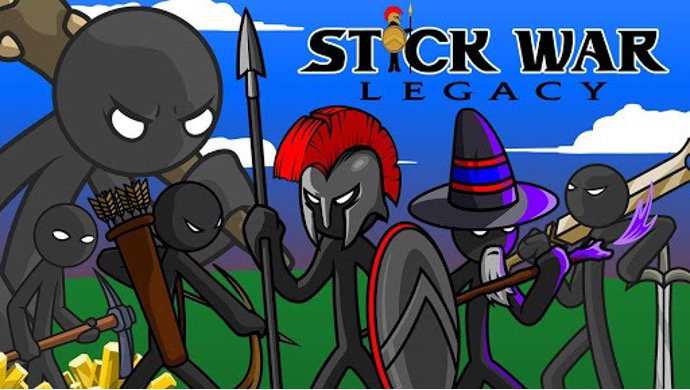
Stick War has been around long enough to be a genuine piece of internet history. It started as a browser game, the kind you played in a computer lab when you were supposed to be doing something else, and the mobile version published under the name Max Games Studios kept the same spine: two statues, one gold mine, and a battlefield full of stickmen who die in large numbers.
The pitch in the store listing is blunt. Learn the way of the Sword, Spear, Archer, and Mage. Only you can free Inamorta. That’s more or less the whole game, and the fact that it still works after all these years says something about how tight the core loop is.
The war for Inamorta, in miniature
Every match is a side-view tug of war. Your statue sits on the left, the enemy’s on the right, and a gold mine sits somewhere between you. Miners dig, gold accumulates, and you spend it on units that march right until they hit something.
Swordwrath are cheap bodies. Spearton hold a line and shield wall. Archidon chip away from behind. Magikill cast from the back and cost a fortune. Giants are exactly what they sound like.
What makes it a strategy game rather than a spending contest is that you can take direct control of any single unit. Tap a stickman and you’re driving him personally, dodging, timing a swing, pulling him out of a fight he was losing. Most players ignore this at first and then discover that one well-piloted Spearton can hold a choke point far longer than the AI will manage on its own.
Formations, and the moment the line breaks
The formation controls are the other half of it. You can push the whole army forward, pull everyone back to defend the statue, or order a scattered retreat when a wave of enemy archers is about to shred your front line.
The rhythm goes like this: mine hard early, resist the urge to build units, then dump everything into a push when you have the composition you want. Overcommit and your statue is undefended. Turtle too long and the enemy arrives with Giants.
That tension is the game. It’s why the campaign still catches people out on later territories, where the opposing nations each have a gimmick (Archidonis spam archers, Swordwrath rush you before you’ve built a second miner, Magikill wipe your army with one well-timed spell).
Skins turned out to be the progression system
The newer additions lean on skins, and they’re not cosmetic. Each one changes how a unit behaves. Leaf skins are light and cheap, so your units build faster and move quicker, which suits an aggressive early rush. Ice skins carry magic that freezes and slows whatever they hit, which turns a defensive line into something properly hard to break through.
Unlocking weapons and armor with their own perks gives the campaign a reason to be replayed, and it feeds into the survival and endless modes where you’re squeezing every advantage you can out of a limited gold income.
Playing Stick War: Legacy on Windows
On a desktop the game widens out, and that matters more here than in most mobile strategy titles. The battlefield is horizontal, the information you need (gold count, unit queue, both statues, where the fight is happening) sits at opposite ends of the screen, and on a phone your thumbs cover a chunk of it. A monitor gives you the whole board at once.
Controls map to mouse clicks cleanly because the original design was built for a mouse in the first place. Clicking a unit icon to build, dragging across the field to select, clicking an individual stickman to take control: all of it feels like the browser game it grew out of, which is a nicer fit than most ports manage.
What still feels clunky
Text and menus scale up a little soft, since the UI assets are built for phone resolutions. Keyboard support is limited, so you’re clicking for nearly everything rather than hotkeying unit production the way an RTS player will instinctively want to.
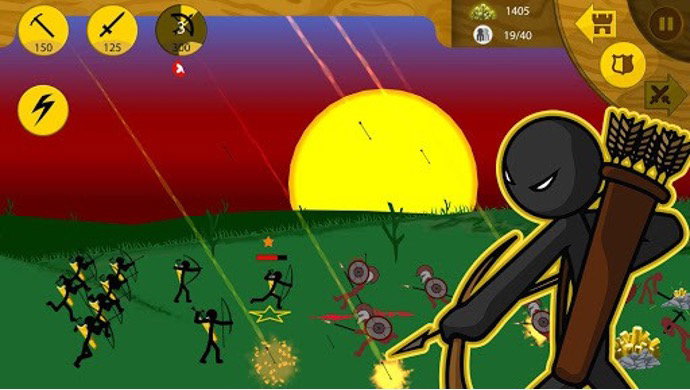
And the game is paced for short sessions. Playing on a big screen doesn’t change the fact that a campaign match runs a few minutes.
Getting it onto a desktop without much fuss
There’s no official Windows build, so a stick war legacy download windows setup means running an Android emulator with the mobile version loaded inside it, and for a game this light the whole process takes a few minutes from install to first match. Hardware demands stay modest too, since the game was built to run on phones from a decade ago.
One thing worth sorting before you start: mouse sensitivity. Direct unit control uses tap-and-hold gestures, and if the pointer is translated too aggressively you’ll fumble the manual sword swings that make the Spearton piloting worthwhile.
Where this version earns its place
If you played Stick War in a browser years ago and want that specific feeling back (full field in view, mouse in hand, Magikill wall of death on the way), the desktop route gets you closer to the original than a phone ever will. It’s also the better setup for anyone grinding endless mode, where watching your gold income and your front line at the same time is the entire skill.